- Views: 404
- Replies: 15
This guide explains how to start futures trading for free using a demo account with real market data. No payment method is required, and everything can be set up in minutes.
Step 1: Download a Futures Trading Platform
- Go to the official NinjaTrader website : https://ninjatrader.com/
- Create a free account (required for download)
- Download and install NinjaTrader Desktop (Version 8)
- Open NinjaTrader after installation
Step 2: Create a Free Tradovate Demo Account
- Visit the Tradovate registration page : https://trader.tradovate.com/register
- Enter an email address
- You may use a temporary email service if you prefer: https://temp-mail.org/
- Open your inbox and confirm the registration link
- Complete the account setup by choosing:
- Username (important — you will reuse this)
- Password
-repeat after 14 days
Step 3: Connect Tradovate Demo to NinjaTrader
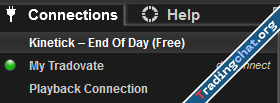
- Open NinjaTrader
- On the login screen:
- Enter your Tradovate username
- Enter your Tradovate password
- Select Simulation / Demo
- Click Log in
Step 4: Open a Chart and Start Trading
- In NinjaTrader, open the Control Center
- Go to:
- New → Chart
- Choose a futures contract (example):
- E-mini S&P 500 (ES)
- E-mini Nasdaq (NQ)
- Select a timeframe (e.g., 1-minute, 5-minute)
- Click OK
What You Can Practice for Free
With this setup, you can:- Practice entries and exits
- Test trading strategies
- Learn order types
- Understand futures contracts
- Use indicators and drawing tools
- Trade during live market hours
Last edited: