KISS Order Flow

Indicator KISS Order Flow

0dax6al9geyh9zrljgvgdnto3cxn.webp


Quick Overview
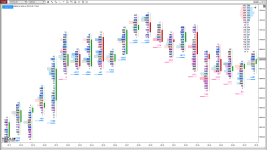
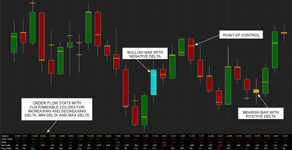
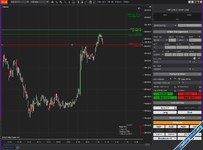
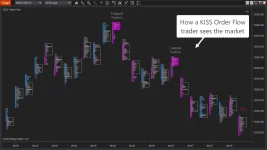
Convert regular candlestick or time-based charts into more informative “order-flow” or volume-based charts, helping traders see where volume is concentrated, who (buyers or sellers) is in control, and potential areas for price reactions.

Key Features

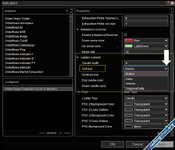
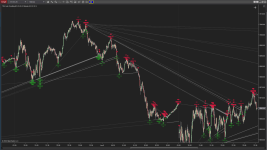
  • Order-flow algo / Signal detection — It offers an algorithm that detects potential reversals based on order flow, which may coincide with market turning points.
  • “Traffic Lights” visual alerts — A built-in “traffic lights” feature that visually signals when their algorithms fire — simplifying decision-making and alerting the trader at a glance.
  • Highlighting “Trapped Trader” & “Bulldozer Bar” patterns — From version 2.1.13 onwards, the indicator can automatically highlight specific order-flow patterns such as “Trapped Trader” bars and “Bulldozer” bars.


image (6).webp


How to install?​

  1. Import this as the default in the NinjaTrader Control Panel,
  2. Copy the DLL file below into: Documents\NinjaTrader 8\bin\Custom how to paste?
 

Attachments

Last edited:
0dax6al9geyh9zrljgvgdnto3cxn.webp


Quick Overview
Convert regular candlestick or time-based charts into more informative “order-flow” or volume-based charts, helping traders see where volume is concentrated, who (buyers or sellers) is in control, and potential areas for price reactions.

Key Features

  • Order-flow algo / Signal detection — It offers an algorithm that detects potential reversals based on order flow, which may coincide with market turning points.
  • “Traffic Lights” visual alerts — A built-in “traffic lights” feature that visually signals when their algorithms fire — simplifying decision-making and alerting the trader at a glance.
  • Highlighting “Trapped Trader” & “Bulldozer Bar” patterns — From version 2.1.13 onwards, the indicator can automatically highlight specific order-flow patterns such as “Trapped Trader” bars and “Bulldozer” bars.


image (6).webp


How to install?​

  1. Import this as the default in the NinjaTrader Control Panel,
  2. Copy the DLL file below into: Documents\NinjaTrader 8\bin\Custom how to paste?

nice pic
 
Similar content Most view View more
Back
Top Bottom